



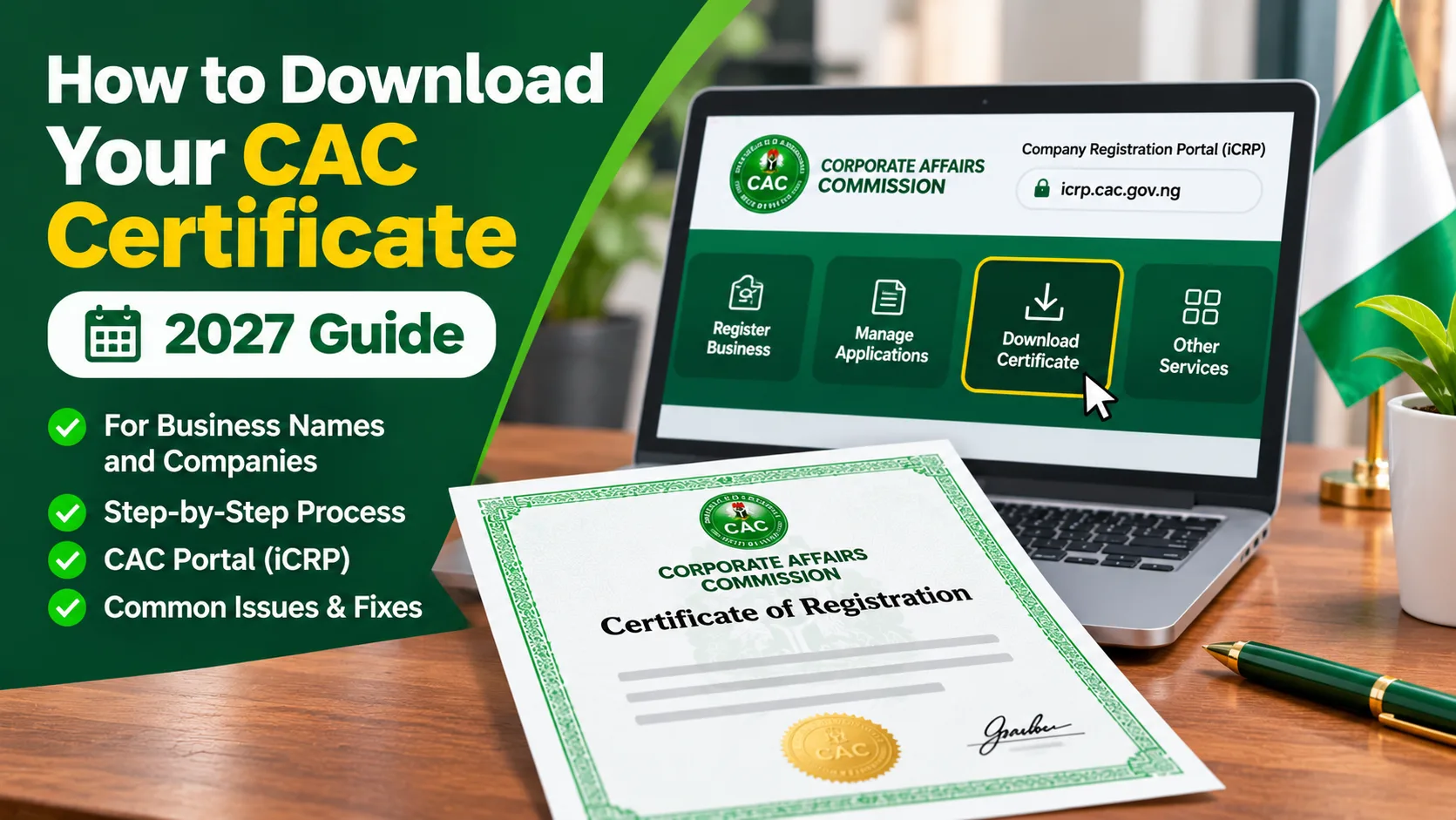
If you have registered a business name or company with the Corporate Affairs Commission (CAC), you will need your CAC certificate as proof of registration.
You may need the document when opening a business bank account, applying for certain business opportunities, completing tax-related processes or dealing with organisations that request evidence of your business registration.
The good news is that CAC now issues electronic certificates. Once your registration has been approved, the certificate is automatically generated and made available on your CAC portal dashboard for download.
This means you do not have to visit a CAC office simply to collect your certificate.
In this guide, you will learn how to download your CAC certificate online in 2027, whether you registered a business name or incorporated a company. We will also explain what to do if you cannot access your CAC account or an accredited agent handled your registration.
What Is a CAC Certificate?
A CAC certificate is an official document issued by the Corporate Affairs Commission to confirm that a business name, company or other eligible entity has been registered in Nigeria.
It contains important information about the registered entity, including its registered name, registration number and date of registration.
There are different types of CAC registration certificates, depending on the type of entity you registered.
For example:
Business Name Certificate: Issued to individuals or partners who register a business name.
Certificate of Incorporation: Issued when a company, such as a private limited liability company, is incorporated.
Certificate of Registration: Issued for other eligible entity types, including incorporated trustees.
Your certificate serves as evidence that the registration has been completed and approved by CAC.
What Is the Official CAC Certificate Download Portal?
The official website for accessing your CAC registration records is the Corporate Affairs Commission's Company Registration Portal, commonly known as iCRP.
You can access it here: https://icrp.cac.gov.ng/
This is the official portal for CAC registration and related services, including access to electronic certificates.
Avoid entering your CAC login details on websites that claim to be official download portals but are not operated by the Commission.
How to Download Your CAC Certificate Online in Nigeria
If you registered your business directly through CAC's portal and have access to the account used during registration, follow these steps.
Step 1: Visit the Official CAC Portal
Open your browser and visit: https://icrp.cac.gov.ng/
Make sure the website address is correct before entering your login information.
Step 2: Log In to Your CAC Account
Click the login option and enter the account details associated with your registration.
Depending on the account and portal requirements, you may need to provide:
Your registered email address, username or phone number.
Your account password.
Any additional security verification requested by the portal.
If CAC requests multi-factor authentication, complete the verification process before proceeding.
Step 3: Open Your Dashboard
After successfully logging in, you should be taken to your CAC account dashboard.
Locate the business name or company registration application whose certificate you want to download.
If you have completed multiple registrations through the same account, check the registered name and application details carefully to avoid downloading the wrong document.
Step 4: Check Your Registration Status
Before downloading your certificate, confirm that the application has been approved.
CAC generates the electronic certificate after approval and makes it available on the dashboard.
If your application still shows Pending, it may not be ready for download.
If it shows Queried, you may need to address the issue raised by CAC before the registration can be approved.
Step 5: Select the Download Certificate Option
Locate the approved registration on your dashboard.
Depending on the portal interface, open the Action menu associated with the application and select Download Certificate.
CAC's e-certificate system makes the approved document available electronically through the dashboard.
Step 6: Save the Certificate to Your Device
Once the certificate opens or downloads, save the PDF file to your phone or computer.
Give the file a recognisable name so you can find it easily later.
For example:
My-Business-CAC-Certificate.pdf
It is also advisable to keep another copy in a secure cloud storage account or external drive.
How to Download Your CAC Business Name Certificate
If you registered a business name rather than incorporating a limited liability company, you can also download your certificate through the CAC portal.
The process is similar:
Visit https://icrp.cac.gov.ng/.
Log in to the CAC account associated with your registration.
Open your dashboard.
Locate your approved business name registration.
Select the relevant Action option.
Choose Download Certificate.
Save the PDF to your device.
Make sure you download the actual Business Name Certificate, not just a payment receipt or application acknowledgement.
If your registration was completed through an accredited CAC agent, you may need the agent's assistance to access the certificate or link the registered entity to your own portal account.
How to Download Your CAC Certificate If an Agent Registered Your Business
Many Nigerians use accredited CAC agents, consultants or business registration service providers to register their businesses.
If someone registered your business on your behalf, you may discover that the application and certificate are accessible through the agent's CAC account rather than yours.
This does not mean that you cannot obtain your certificate.
Here are the steps to take:
1. Contact the person who handled your registration
Ask the agent or service provider to send you the approved CAC certificate in PDF format.
Since the certificate is generated electronically, they should be able to access it from the relevant registration record if they still have access to the account.
2. Request your registration details
Ask for your business registration number, registered business name and the email address associated with the application.
These details can help you establish access to the correct registration record.
3. Ask about linking the registration to your account
If you want to manage the business registration yourself, contact CAC or consult the current iCRP account-linking instructions to establish whether the entity can be linked to your own portal account.
Do not create a duplicate registration simply because an agent handled the original application.
What If You Have Forgotten Your CAC Login Details?
If you registered your business yourself but cannot remember your CAC account password, use the password recovery option on the official iCRP login page.
Follow the instructions provided to reset your password.
If you no longer have access to the email address associated with your account, you may need to contact CAC support to request assistance with account recovery or updating your account information.
You should be prepared to provide information that helps CAC verify that you are authorised to access the registration.
Never share your password or one-time verification code with someone claiming to recover your account for you.
What If Your CAC Certificate Is Not Showing on the Dashboard?
Sometimes, applicants log in successfully but cannot find their certificate.
There are several possible reasons.
1. Your Registration Has Not Been Approved
The electronic certificate is generated after CAC approves the registration.
If your application is still pending, the certificate may not yet be available.
Check the application status and follow any instructions displayed on the portal.
2. Your Application Has Been Queried
A queried application means CAC requires additional information, clarification or corrections before proceeding.
Open the application and check the query history to understand what needs to be addressed.
Make the requested corrections and resubmit the application where the portal allows it.
3. You Are Using the Wrong CAC Account
If an agent, consultant or another person completed the registration, the application may be associated with their account.
Contact the person who handled the registration and ask them to provide the certificate or assist with the appropriate account-access process.
4. You Are Checking the Wrong Registration Record
If you have registered more than one business or company, confirm that you are viewing the correct application.
Check the registered name and registration number before selecting the download option.
5. The CAC Portal Is Experiencing Technical Problems
The portal may occasionally experience interruptions or loading problems.
Try signing out and logging in again, refreshing your dashboard or using another browser.
If the problem continues, contact CAC through its official support channels.
What If You Have Lost Your CAC Certificate?
If you previously downloaded your certificate but have lost the PDF file, first check whether the registration is still accessible through your iCRP dashboard.
If it is available, you can download another copy.
However, if you need a formally authenticated replacement or certified copy, ask CAC about its current Certified True Copy (CTC) procedure and applicable fees.
A normal electronic re-download and a request for a Certified True Copy are not necessarily the same service.
Do not pay someone claiming that every lost CAC certificate requires a special replacement fee without first checking the official procedure.
What Is the Difference Between a CAC Certificate and a CAC Status Report?
These two documents are related, but they are not the same.
CAC Certificate
This is the official registration document issued after CAC approves the registration of a business name, company or other eligible entity.
It confirms that the entity has been registered.
CAC Status Report
A status report provides information about the entity as recorded in CAC's database.
Depending on the type of entity and the report requested, it may contain details about the registered entity and its current registration status.
If a bank, organisation or government agency specifically asks you for your CAC certificate, do not assume that a status report is an acceptable substitute.
Check exactly which document they require before submitting it.
How to Verify Your CAC Certificate
CAC's electronic certificate format includes identifying details and official commission markings.
When you receive a certificate, check that the following information is correct:
Your registered business or company name.
Your CAC registration number.
The date of registration.
The entity type.
The details displayed on the certificate.
If the certificate contains a QR code, you can use your phone's camera or a QR-code scanner to follow the verification link, where supported.
Compare the information returned with the details on the certificate.
If the information does not match, contact CAC through its official channels.
1. Can I download my CAC certificate online in Nigeria?
Yes. CAC issues electronic certificates through its Company Registration Portal. Once your registration is approved, the certificate is automatically generated on your dashboard for download.
2. Where can I download my CAC certificate?
You can access your registration through the official CAC iCRP website at https://icrp.cac.gov.ng/.
3. Can I download my CAC certificate using my phone?
Yes. You can access the CAC portal using a smartphone browser. You will need your account login details and a way to save the downloaded PDF.
4. Can I download my CAC certificate without logging in?
The standard download process requires access to the CAC account containing the registration record. If an agent registered your business, contact them for the certificate or ask CAC about the appropriate account-access procedure.
5. How long does it take for a CAC certificate to be available?
CAC states that the electronic certificate is automatically generated on the dashboard after the registration is approved. The time required to reach approval depends on the application and any issues that need to be resolved.
6. Can I download my CAC certificate again after losing it?
If the approved registration remains accessible on your dashboard, you can download the electronic certificate again. If you need a formally certified replacement, contact CAC about its Certified True Copy procedure.
7. Is the electronic CAC certificate valid?
Yes. CAC has adopted electronic certificates as its official method of issuing registration certificates through the portal.
8. Can I use my CAC certificate to open a business bank account?
A CAC certificate is commonly requested as evidence of business registration when opening a business account. However, banks may require additional documents depending on the type of business account and their verification requirements.
Final Thoughts
Downloading your CAC certificate in Nigeria is straightforward once your registration has been approved and you can access the account containing the application.
Simply visit the official CAC iCRP portal, log in, locate your approved registration and select the Download Certificate option.
If an accredited agent handled your registration, request the PDF from them or ask CAC about linking the registration to your own account.
Most importantly, save a secure backup of your certificate after downloading it. You may need it again when dealing with banks, government agencies, suppliers or other organisations that request proof of business registration.
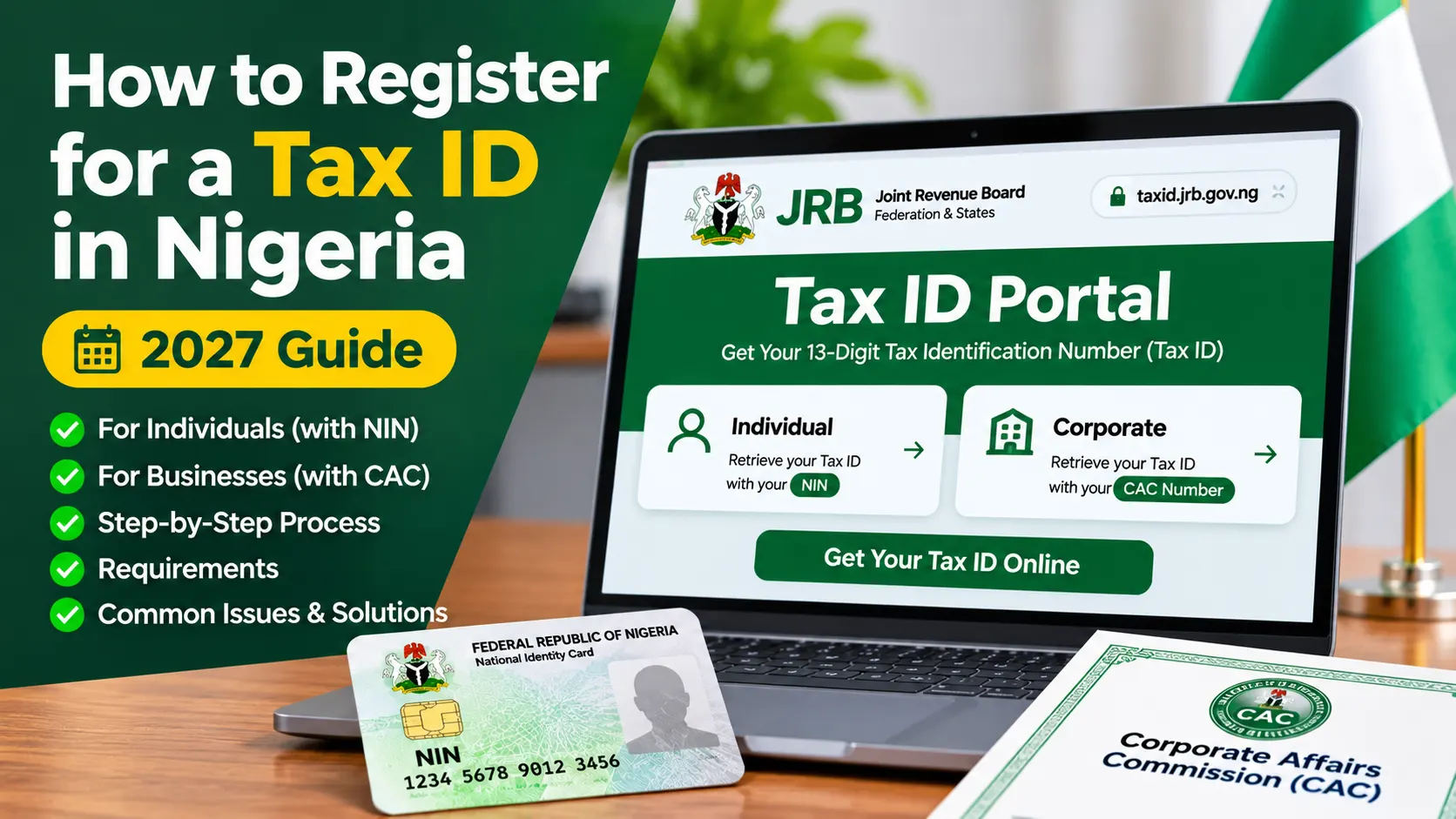
For more practical business guides, read our Afriupdate article on how to register for a Tax ID in Nigeria to understand how the new Tax ID system works for registered businesses.


Discussion
No comments yet
Be the first to share your thoughts, analysis, or questions on this story.
Report Comment
Help our editorial moderation team keep discussions constructive and factual.